

JSON to YAML Converter

Convert JSON into readable YAML for configuration files such as Kubernetes manifests, Docker Compose, OpenAPI specs and CI pipelines. Text that could be misread as a number or a boolean is quoted for you.

  • Free daily uses
  • Runs in your browser
  • No sign-up needed

Plan: FreeView packages →

Processed in your browser. Your JSON is not uploaded.

20 of 20 operations left today
JSON input

YAML

Guide

How to convert JSON to YAML

Three steps to turn JSON into clean YAML for config files, Docker Compose or Kubernetes.

  1. Add your JSON

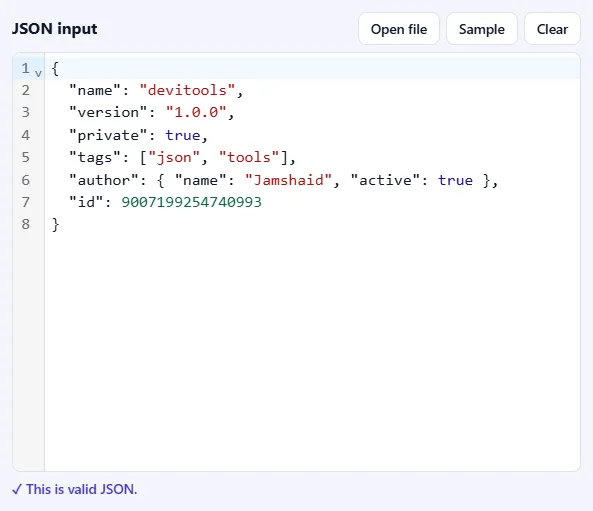
    Paste JSON into the JSON input box, drop a .json file onto it, or click Open file. Click Sample to try the tool with a small example object. As soon as the text is valid, you'll see ✓ This is valid JSON under the box.

    The JSON input box filled with sample JSON, with Open file, Sample and Clear buttons, and the message “This is valid JSON” below it.The JSON input box filled with sample JSON, with Open file, Sample and Clear buttons, and the message “This is valid JSON” below it.
  2. Choose the indentation

    Pick 2 spaces (the usual choice) or 4 spaces.

    The options bar with the Indentation menu set to 2 spaces.The options bar with the Indentation menu set to 2 spaces.
  3. Press Convert to YAML

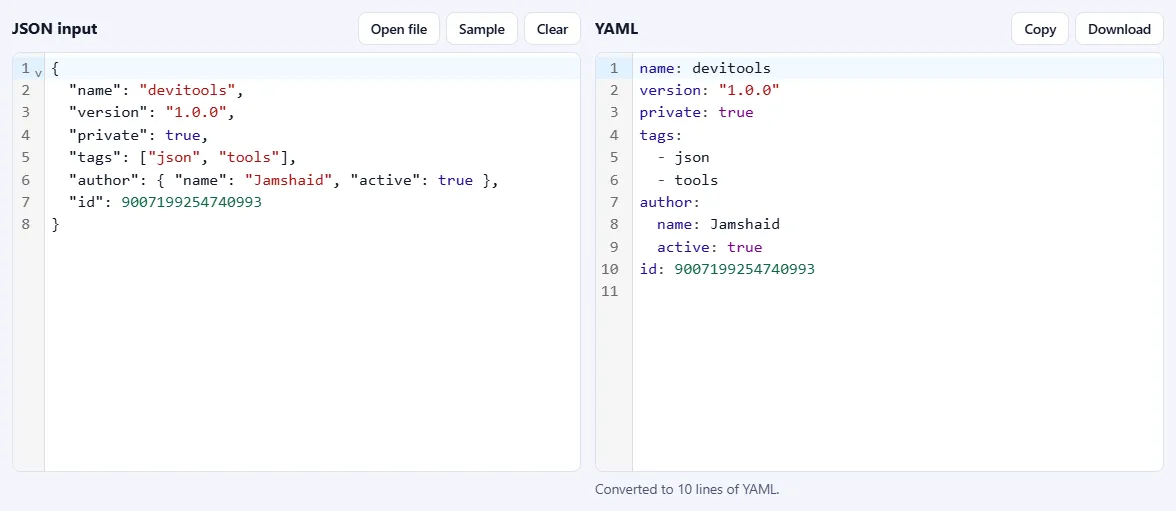
    The YAML appears on the right, with the number of lines below it. Text that YAML could misread, such as a version number like "1.0.0", is quoted automatically. Use Copy or Download to save a .yaml file.

    JSON on the left and the same data as YAML on the right, with a line below saying it was converted to 10 lines of YAML.JSON on the left and the same data as YAML on the right, with a line below saying it was converted to 10 lines of YAML.

Good to know

  • Nothing is uploadedYour JSON is processed in your browser and never leaves your device.
  • Daily usesEach successful run counts as one JSON operation. Invalid JSON is never counted.

Frequently asked questions

Is the YAML an exact equivalent of my JSON?

Yes. YAML can express everything JSON can, and the converter writes it so that reading the YAML back gives the same data: the same types, the same order of keys and the same numbers.

Why are some text values wrapped in quotes?

YAML guesses types from unquoted text, so the text value "true", "null", "123", "2024-01-01" or "no" would be read as a boolean, null, number or date. The converter quotes any text that would otherwise change meaning, along with text that has special characters, leading or trailing spaces or line breaks. Ordinary text is left unquoted for readability.

How are multi-line texts handled?

Text containing line breaks is written as a single quoted line with \n escapes. That is always correct and survives any YAML parser, but if you want a readable block, you can edit it by hand into YAML's | block style after converting.

Which YAML version does it produce?

Block-style YAML that both YAML 1.1 and 1.2 readers understand. Numbers with exponents are written in a form older parsers also accept, for example 1e5 becomes 1.0e+5.

Can I convert YAML back to JSON?

Not here yet. This page converts from JSON to YAML only.

Is my JSON uploaded or stored?

No. Everything runs inside your browser, so your data never leaves your device. Our server only records that one operation was converted, along with your network address, so the daily limit shown above the tool can be applied.

More JSON tools