
WebP to PNG Converter

Convert WebP to PNG to open an image in an editor that does not understand WebP. Transparency is kept.

  • Free daily uses
  • Runs in your browser
  • No sign-up needed

Plan: FreeView packages →

Converted on your device. Your images are not uploaded to any server.

25 of 25 conversions left today

Drag and drop your WebP images here

Accepts .webp · up to 23.8 MB each · 50 at a time · saved as PNG

The picture size stays the same. Photo details such as location are removed.

Guide

How to convert WebP to PNG

3 simple steps, from adding your files to downloading the PNG versions.

  1. Add your WebP images

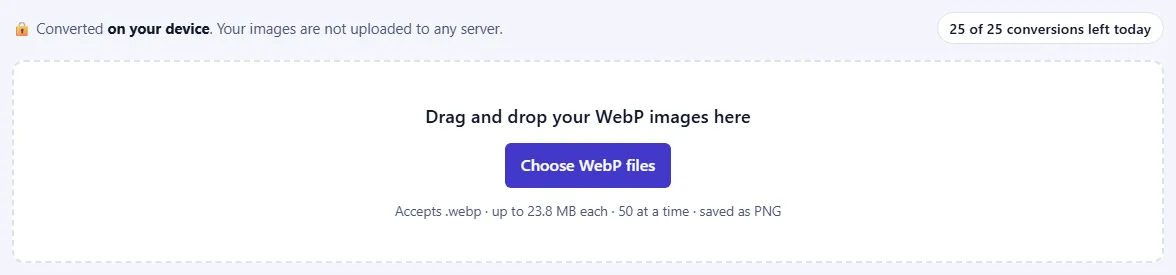
    Drag your WebP files onto the box, or click Choose WebP files. You can add up to 50 at once. They are read on your device and never uploaded. The counter at the top shows how many conversions you have left today.

    The upload box with the text “Drag and drop your WebP images here” and a Choose WebP files button, and a counter of conversions left today.The upload box with the text “Drag and drop your WebP images here” and a Choose WebP files button, and a counter of conversions left today.
  2. Check the list

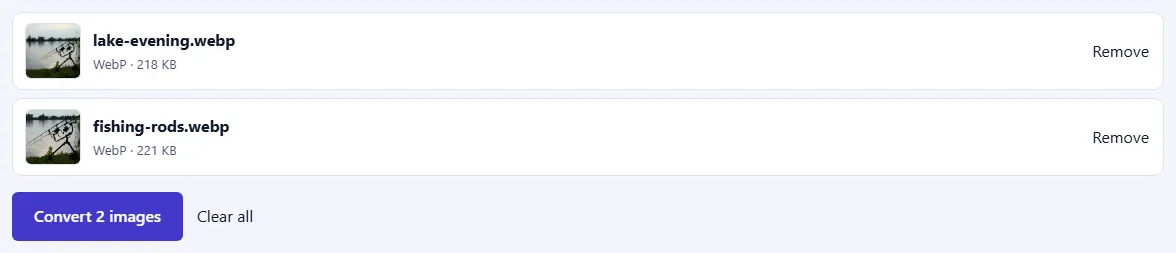
    Each file appears with its name and size. Click Remove to take one out. If a file isn't really a WebP image, it's marked with an explanation, and a link to the right converter when there is one.

    Two WebP files waiting in the list, each with a Remove link, and a “Convert 2 images” button below.Two WebP files waiting in the list, each with a Remove link, and a “Convert 2 images” button below.
  3. Convert and download your PNG files

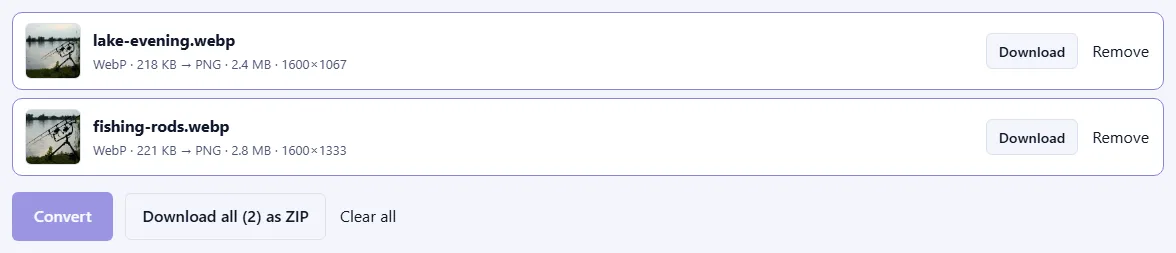
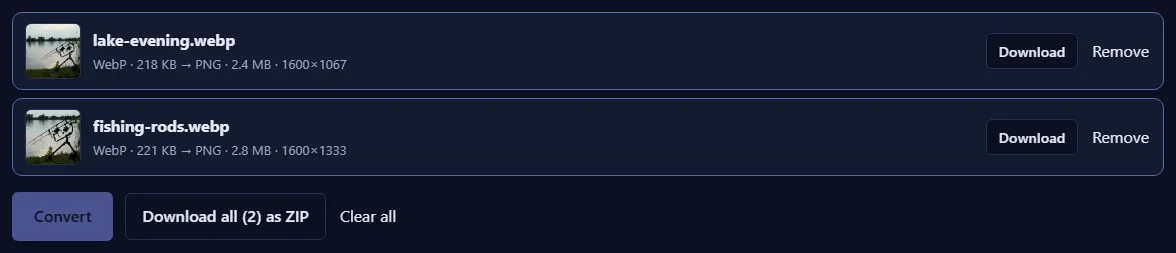
    Click Convert. Each file shows its new PNG size and dimensions and a preview. Click Download for one file, or Download all as ZIP to save them together.

    Two converted files with photo previews, their new PNG sizes and dimensions, Download buttons and a “Download all (2) as ZIP” button.Two converted files with photo previews, their new PNG sizes and dimensions, Download buttons and a “Download all (2) as ZIP” button.

Good to know

  • Nothing is uploadedYour WebP files are converted on your own device and never leave it.
  • PNG files are largerPNG keeps every pixel exactly, so expect bigger files than the original. Choose WebP or JPG for small files.
  • Daily usesEach converted image counts once towards your daily allowance. Failed conversions are never counted.

Frequently asked questions

Is this WebP to PNG converter free and private?

Yes. The conversion runs inside your browser, so your WebP files are never uploaded to a server. Our server only records that one image was converted, along with your network address, so that the daily limit shown above the converter can be applied.

Will I lose quality converting WebP to PNG?

The conversion itself adds no loss, because PNG stores pixels exactly. It cannot restore detail that the WebP had already discarded, and the PNG file will be larger.

Is transparency kept?

Yes. Transparent areas stay transparent in the PNG file.

Is the photo's location and other metadata kept?

No. The converter writes a fresh PNG file with only the picture, so GPS location, camera details and dates stored inside the original are not copied. If you want a PNG with the original metadata, use a desktop editor instead.

More image converters