Text to QR Code

Put any text into a QR code: a short message, a voucher code, opening hours or step-by-step instructions. Scanning it shows the text on the phone, with no internet connection needed.

  • Free daily uses
  • Runs in your browser
  • No sign-up needed

Last updated

Plan: FreeView packages →

Made on your device. What you type is not uploaded.

20 of 20 downloads left today
Design
Higher levels survive more damage or a bigger logo, but make the code denser.
Preview
Your QR code appears here as you type.

Always scan the code with your phone before you print or share it.

Guide

How to turn text into a QR code

Three steps, from your text to a code that shows it on any phone.

  1. Type your text

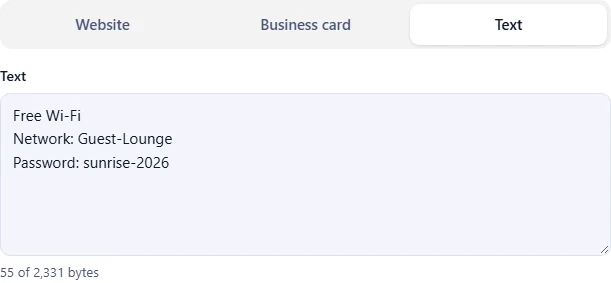
    Choose Text and type or paste your text. The counter underneath shows how much of the code's space you are using.

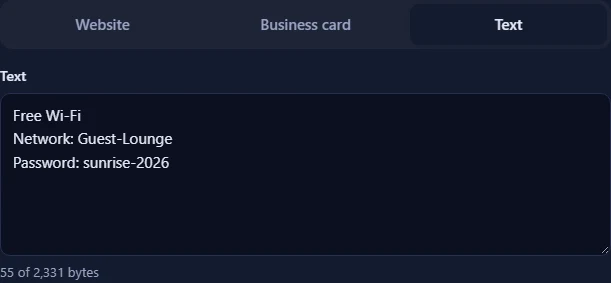
    The Text tab with a message typed into the text box and a counter of bytes used below it.The Text tab with a message typed into the text box and a counter of bytes used below it.
  2. Choose colours and a logo

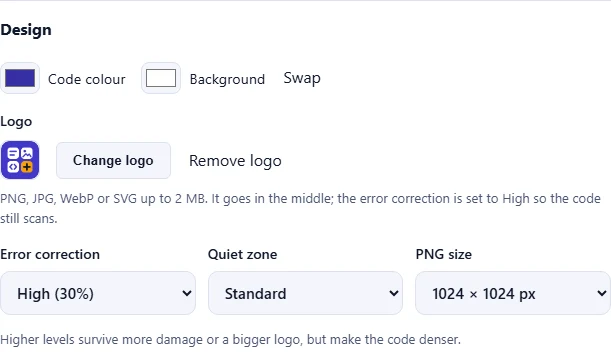
    Under Design, pick the Code colour and Background. Keep the code darker than the background so every phone can read it. Click Add a logo to put your logo in the middle; the error correction switches to High so the code still scans.

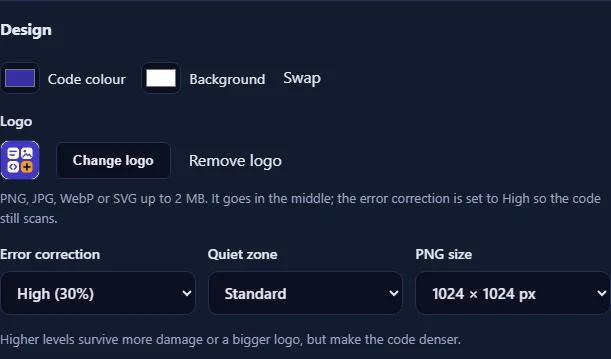
    The Design section with the code and background colour pickers, the Add a logo button, and the error correction, quiet zone and PNG size menus.The Design section with the code and background colour pickers, the Add a logo button, and the error correction, quiet zone and PNG size menus.
  3. Download and test your code

    The preview updates as you type. Click Download PNG for websites and documents, or Download SVG for print. Scan it with your phone to check that it opens your text before you share it.

    The QR code preview with Download PNG and Download SVG buttons and a reminder to test the code with a phone.The QR code preview with Download PNG and Download SVG buttons and a reminder to test the code with a phone.

Good to know

  • Nothing is uploadedThe code is made in your browser. What you type and your logo never leave your device.
  • No expiryThe content is stored in the code itself, so it keeps working forever and never depends on our website.
  • Daily usesTyping and previewing are free. Each download counts once towards your daily allowance.

Frequently asked questions

What can I put in a text QR code?

Any text: a message, a product or voucher code, a serial number, instructions or contact information. When it is scanned, the phone shows the text and lets the person copy it.

How much text fits in one QR code?

Up to about 2,900 characters with Low error correction, and about 1,250 with High. Accented letters, other alphabets and emoji take more space than plain letters. The counter under the text box shows how much room is left.

Do I need the internet to read a text QR code?

No. The text is stored in the code itself, so it can be read offline. That makes text codes handy for equipment labels, events and places with no signal.

Will a link in my text open when scanned?

Some phones offer to open links they find in the text, but not all do. If the code is mainly for a website, use the website QR code instead; phones always offer to open it.

Do text QR codes expire?

No. The text is part of the code, so it works forever and does not depend on our website. To change the text, make a new code.

Is it free and private?

Yes. The code is made in your browser, so your text is never uploaded. Creating and previewing are unlimited; each download counts once towards your free daily allowance.

More QR codes